
Self-Hosting My Passwords and a Homelab Dashboard
/ 3 min read
I have used 1Password for more than 10 years, and honestly I always liked it. It has been around since 2006, it just works, and it was one of those apps I never really thought about. Then this year they raised prices, up to 33% on the individual plan. It is not a huge amount of money, but after a decade of paying for it every year, it was the push I needed to finally try hosting my own password manager on the homelab.
Vaultwarden
I went with Vaultwarden, a lightweight server that is compatible with Bitwarden. The best part is that you keep using the official Bitwarden apps, so the browser extension, iPhone app, Mac app, and the Linux Flatpak all just point at my own server instead of theirs.
It runs as a small app on TrueNAS. After creating my account I closed signups, switched the vault to Argon2id, and set up a passkey plus an authenticator app for two-factor. The apps also keep an offline copy of the vault, so if the server is ever down I can still read my passwords.
Since this is the one thing I really cannot lose, backups got the most attention: hourly ZFS snapshots, a copy replicated to the SSD mirror, and a nightly encrypted archive pushed to Cloudflare R2. I also restored it on another machine to make sure it actually works, which is the part everyone skips.
Real domains and certificates
In my first homelab post I said the next step was probably NGINX Proxy Manager for local SSL. I ended up keeping Caddy and doing it properly instead: a domain I already own on Cloudflare, one wildcard certificate from Let’s Encrypt using the DNS challenge, and local DNS overrides on OPNsense that point every name at the NAS.
*.mydomain.dev {  tls {    dns cloudflare {env.CLOUDFLARE_API_TOKEN}  }
  @vault host vault.mydomain.dev  handle @vault {    reverse_proxy http://nas:30085  }}
The nice trick is that none of these names exist in public DNS. They only resolve inside my network, but the browser still gets a valid certificate. No more clicking through scary warnings, and password managers are happy because everything is real HTTPS.
Tailscale for everything outside the house
Nothing is open to the internet. When I am away, Tailscale does the work: OPNsense advertises the home network, and split DNS sends my domain to the router. So the exact same URLs work on my phone over cellular, and without Tailscale they simply do not resolve.
A dashboard to tie it together
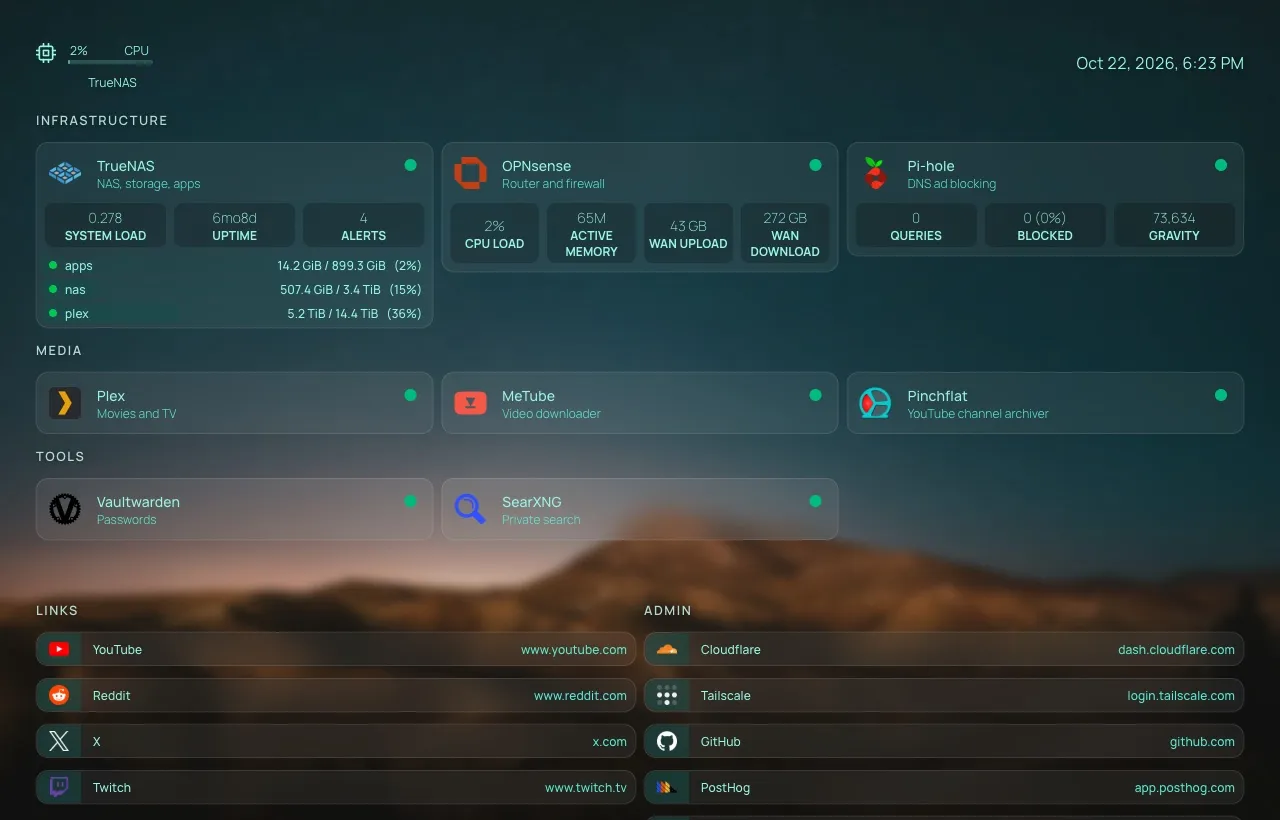
The last piece was Homepage, which replaced Glance on my list of things to try. It shows every service with a status dot, plus live stats from TrueNAS, OPNsense, and Pi-hole using read-only API users. You can start typing anywhere to jump to an app, or fall through to a search on my own SearXNG.
Why this feels so good
Self-hosting has a way of making things feel like yours. My passwords live on hardware in my house, every service has a clean URL with a real certificate, and it all works the same at home or on the go. I did most of the setup with Claude Code talking to the TrueNAS and OPNsense APIs, which made a weekend-sized project fit in a day.
Next up is probably moving my photos over to Immich, because once you start, it is hard to stop.